By the end of this tutorial, you will have compiled a Solidity smart contract, run its test suite, and deployed it to the Polygon Amoy testnet using Hardhat. Hardhat is an Ethereum development environment for deploying smart contracts, running tests, and debugging Solidity locally.
This tutorial follows the Hardhat Quickstart guide and adapts it for Polygon.

Prerequisites

Step 1: Create a project and install Hardhat

  1. Create an npm project:
    mkdir hardhat-test
    cd hardhat-test/
    npm init
    
  2. Install Hardhat:
    npm install --save-dev hardhat
    

Step 2: Create a sample project

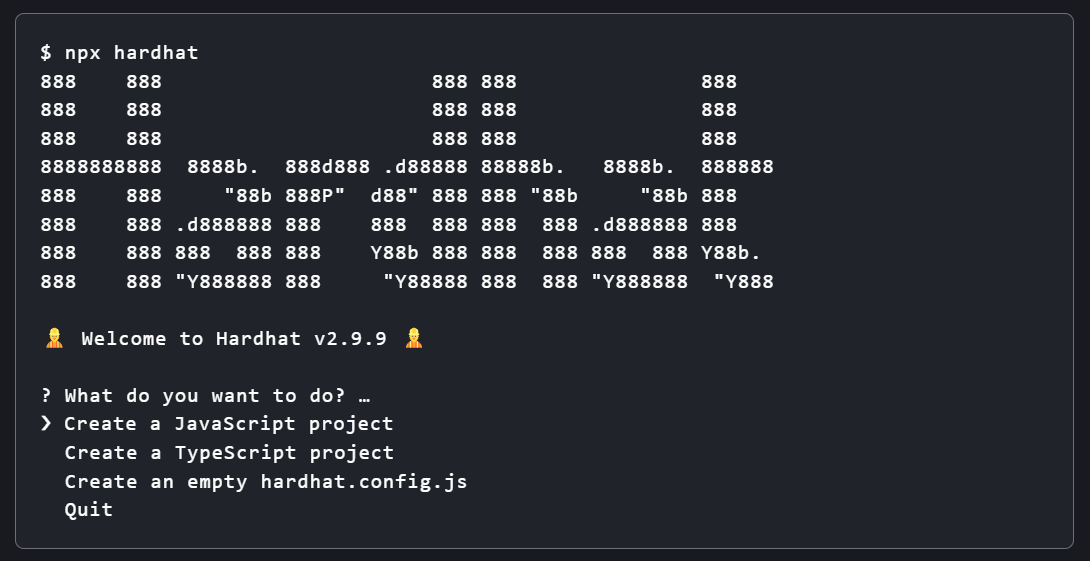
Run npx hardhat in your project folder: img Choose the JavaScript project option. Hardhat will scaffold a sample project with a contract, tests, and deploy scripts.

Step 3: Review the sample contract

The contracts folder contains Lock.sol, a simple contract that lets the owner withdraw funds only after a specified time period.
// SPDX-License-Identifier: UNLICENSED
pragma solidity ^0.8.9;

// Import this file to use console.log
import "hardhat/console.sol";

contract Lock {
    uint public unlockTime;
    address payable public owner;

    event Withdrawal(uint amount, uint when);

    constructor(uint _unlockTime) payable {
        require(
            block.timestamp < _unlockTime,
            "Unlock time should be in the future"
        );

        unlockTime = _unlockTime;
        owner = payable(msg.sender);
    }

    function withdraw() public {
        // Uncomment this line to print a log in your terminal
        // console.log("Unlock time is %o and block timestamp is %o", unlockTime, block.timestamp);

        require(block.timestamp >= unlockTime, "You can't withdraw yet");
        require(msg.sender == owner, "You aren't the owner");

        emit Withdrawal(address(this).balance, block.timestamp);

        owner.transfer(address(this).balance);
    }
}

Step 4: Configure Hardhat for Polygon Amoy

  1. Open hardhat.config.js.
  2. Create a .env file in the project root.
  3. Add your private key and a Polygonscan API key to .env. Generate a Polygonscan API key by creating an account.
Replace the contents of hardhat.config.js with:
require('dotenv').config();
require("@nomiclabs/hardhat-ethers");
require("@nomiclabs/hardhat-etherscan");

module.exports = {
  defaultNetwork: "polygon_amoy",
  networks: {
    hardhat: {
    },
    polygon_amoy: {
      url: "https://rpc-amoy.polygon.technology",
      accounts: [process.env.PRIVATE_KEY]
    }
  },
  etherscan: {
    apiKey: process.env.POLYGONSCAN_API_KEY
  },
  solidity: {
    version: "0.8.9",
    settings: {
      optimizer: {
        enabled: true,
        runs: 200
      }
    }
  },
}
This config uses DOTENV for environment variables. Install dotenv along with the other required packages:
npm install dotenv @nomiclabs/hardhat-ethers @nomiclabs/hardhat-etherscan
Find more information about dotenv on npm.

Step 5: Compile the contract

Install the Hardhat toolbox, then compile:
npm install --save-dev @nomicfoundation/hardhat-toolbox
npx hardhat compile

Step 6: Run the tests

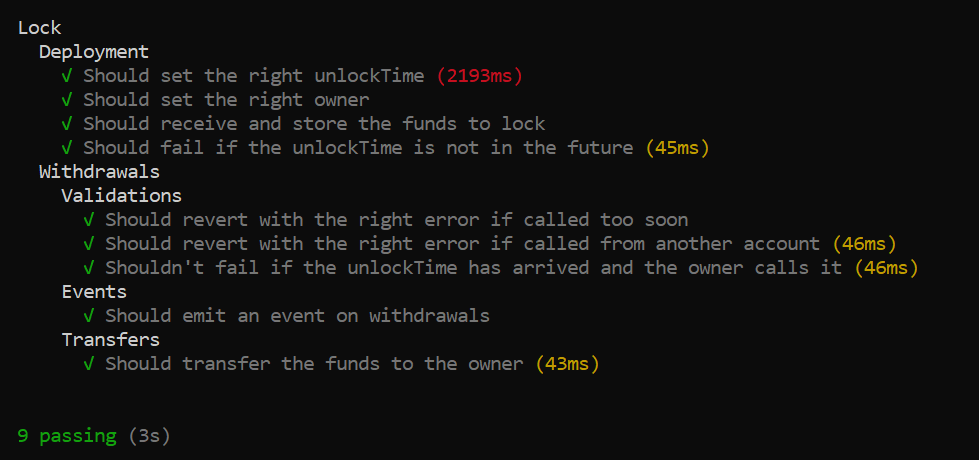
npx hardhat test
Expected output: img

Step 7: Deploy to Polygon Amoy

Run the deploy script from the project root:
npx hardhat run scripts/deploy.js --network polygon_amoy
The contract deploys to the Polygon Amoy testnet. Check the deployment status at https://amoy.polygonscan.com/. You have successfully deployed the Lock smart contract to Polygon Amoy. You can now interact with it through Polygonscan or your own frontend.
Verifying your contract makes its source code publicly visible on Polygonscan. Run:
npm install --save-dev @nomiclabs/hardhat-etherscan
npx hardhat verify --network polygon_amoy 0x4b75233D4FacbAa94264930aC26f9983e50C11AF
For contracts with complex constructor arguments, see the hardhat-etherscan plugin docs.