

Prerequisites
- An Alchemy account
- Access to the Alchemy Dashboard
Create an Alchemy API key
-
Navigate to the Create App button in the Apps tab.
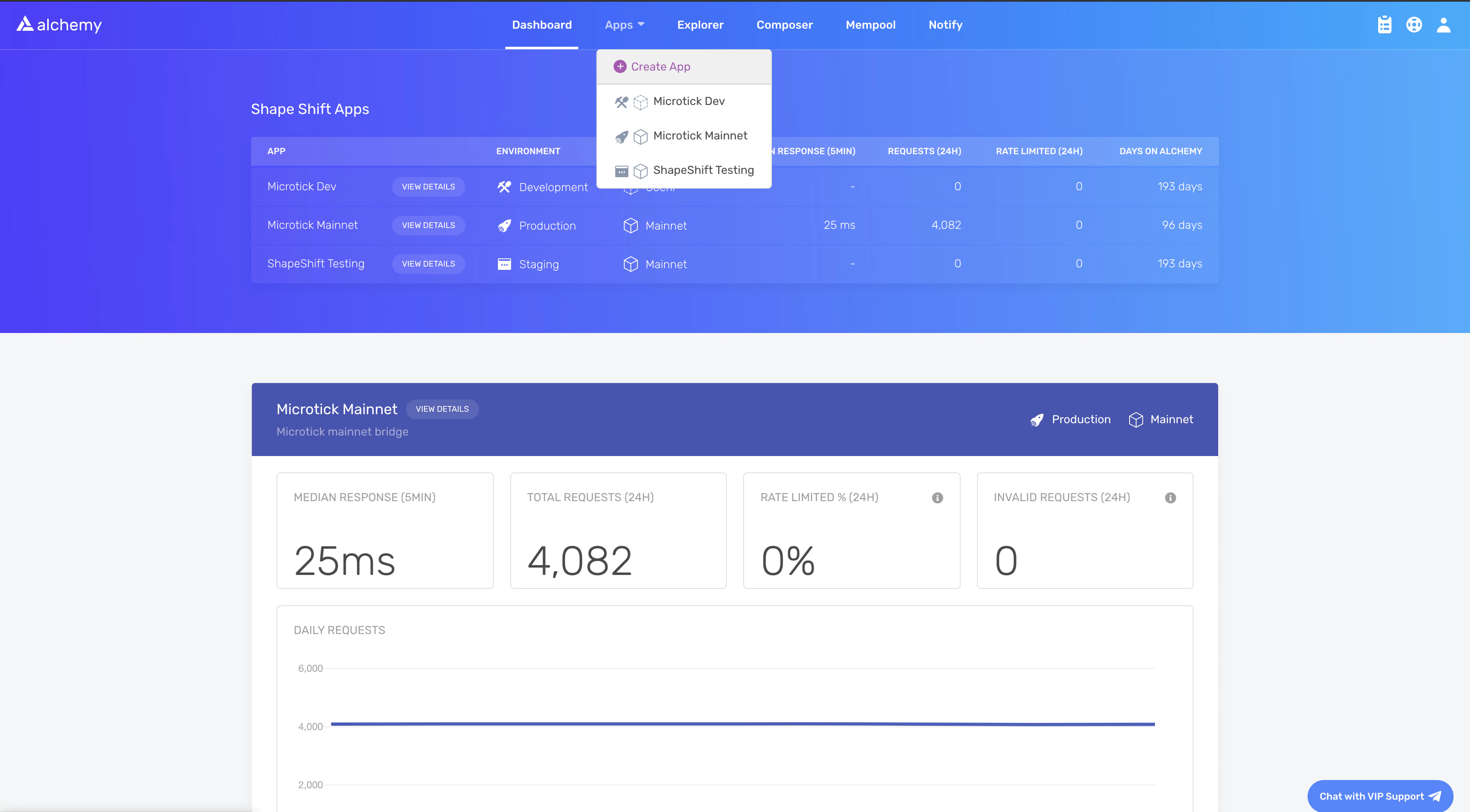
-
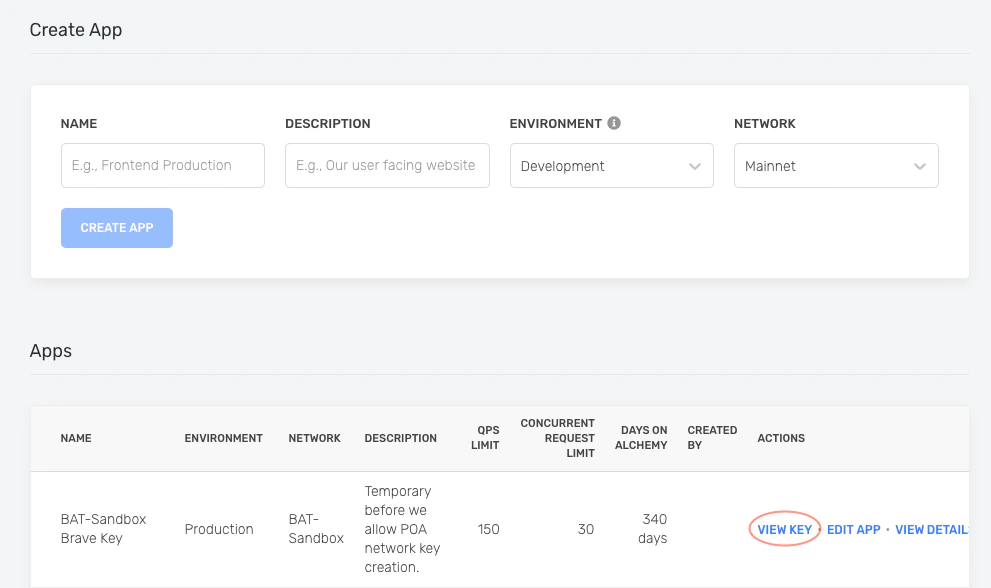
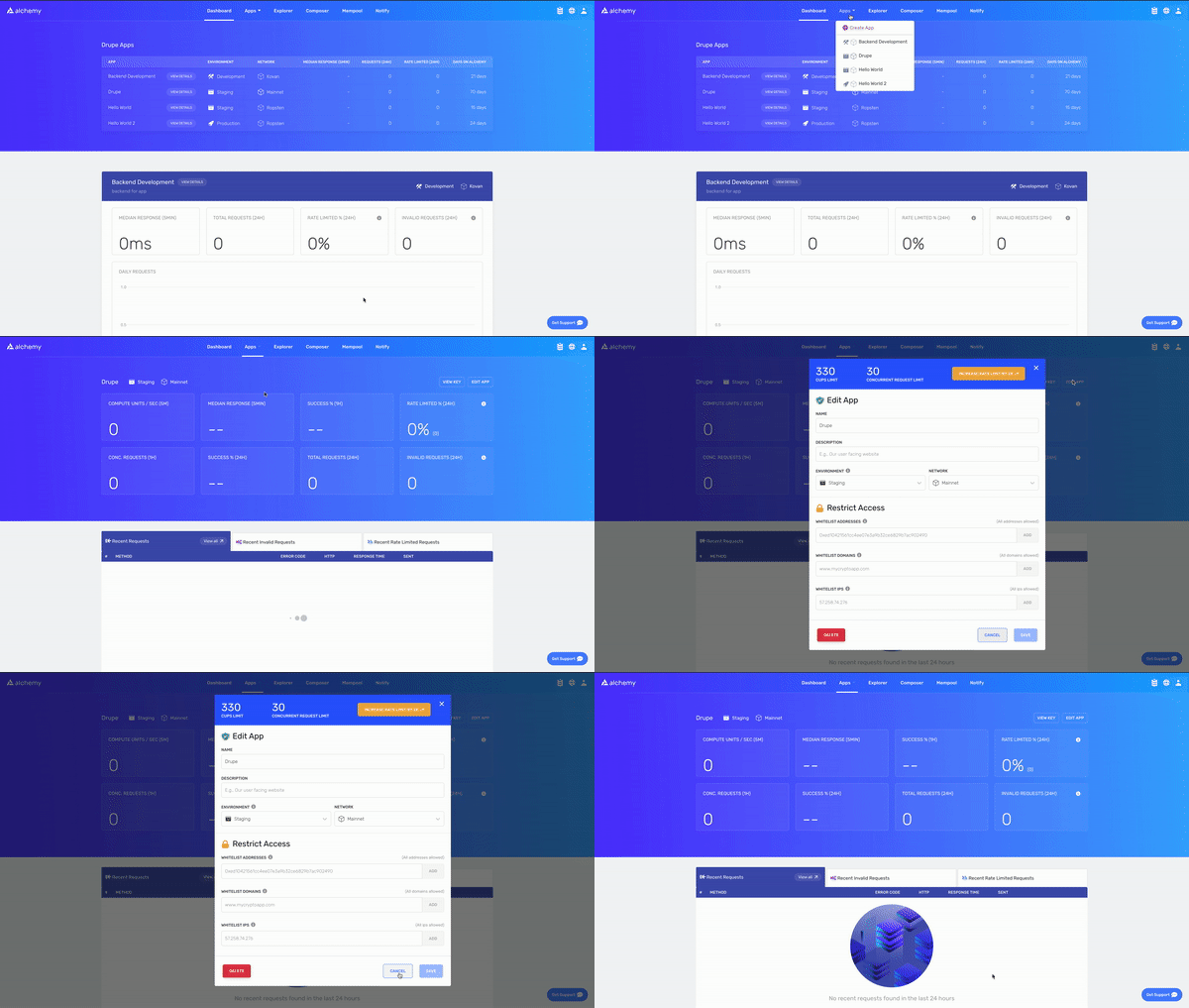
Fill in the details under Create App to get your new key. You can also see the applications you previously made by you and your team on this page. Pull existing keys by clicking on View Key for any app.
Send a cURL request
You can interact with Alchemy’s Polygon infrastructure using JSON-RPC from the command line. UsePOST requests with the Content-Type: application/json header. Pass your query as the POST body with these fields:
jsonrpc: The JSON-RPC version. Only2.0is supported.method: The API method. See the API reference.params: A list of parameters to pass to the method.id: The ID of your request, returned in the response so you can match requests to responses.
To send requests to your own app instead of the public demo, replace
https://eth-mainnet.alchemyapi.io/jsonrpc/demo with https://eth-mainnet.alchemyapi.io/v2/your-api-key.Set up the Alchemy SDK
Use the Alchemy SDK to make blockchain requests directly from a JavaScript or Node.js dApp. If you already use Web3.js or Ethers.js, change your node provider URL to an Alchemy URL with your API key:https://eth-mainnet.alchemyapi.io/v2/your-api-key
The scripts below must run in a node context or be saved in a file, not run directly from the command line.
Install the SDK
Create a project directory and install the package. With Yarn:Create index.js
Run
What to build next
A node connection is the foundation. What you build on top of it depends on your product:- Polygon Chain overview: architecture, finality model, and the consensus contracts your node interacts with.
- Open Money Stack Payments API: skip running your own node entirely and build payment products on a hosted API.
- Non-custodial wallets: non-custodial wallet SDK for consumer apps on Polygon.
- Polygon RPC endpoints: the full list of public and paid RPC providers for Polygon Chain.