

- Go to https://staking.polygon.technology/ and login using your owner address.
-
Go to My Account Section and click on Add Heimdall Fees.

-
Enter the amount you want to add and click on continue.

-
Click on continue.

-
Approve the transaction on your wallet and you will see a message when your heimdall fee is added. Please note that it takes some time to reflect the fee in the account.

- Head over to Etherscan.io
-
Goto
POL Ecosystem TokenContract. Mainnet - 0x455e53CBB86018Ac2B8092FdCd39d8444aFFC3F6, Amoy - 0x44499312f493F62f2DFd3C6435Ca3603EbFCeeBa -
Under the Code menu, select Write Contract and connect your web3 wallet using Connect to Web3 button.

-
Goto
approvefunction, enter the spender as the address you want to use to topup your heimdall fee, and the amount.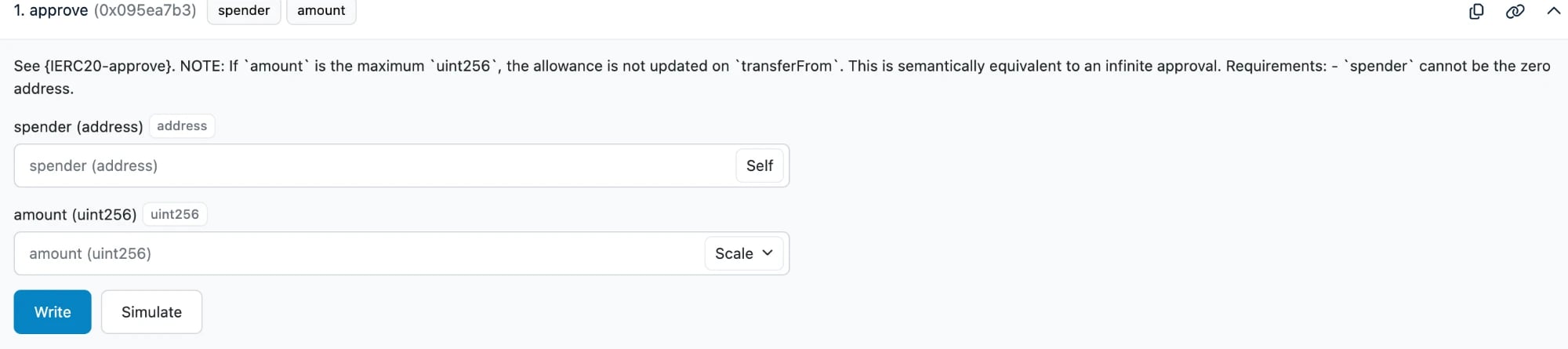
- Select Write to sign the transaction.
-
Now enter the
StakeManagerProxycontract address in the search box: Mainnet - 0x5e3Ef299fDDf15eAa0432E6e66473ace8c13D908, Amoy - 0x4AE8f648B1Ec892B6cc68C89cc088583964d08bE -
Under the Code menu, select the Write as Proxy tab. Connect your Web3 wallet using the Connect to Web3 button.

-
Scroll down to the
topUpForFeemethod (#26 in the list) and select it. You will then see a display similar to the screenshot below.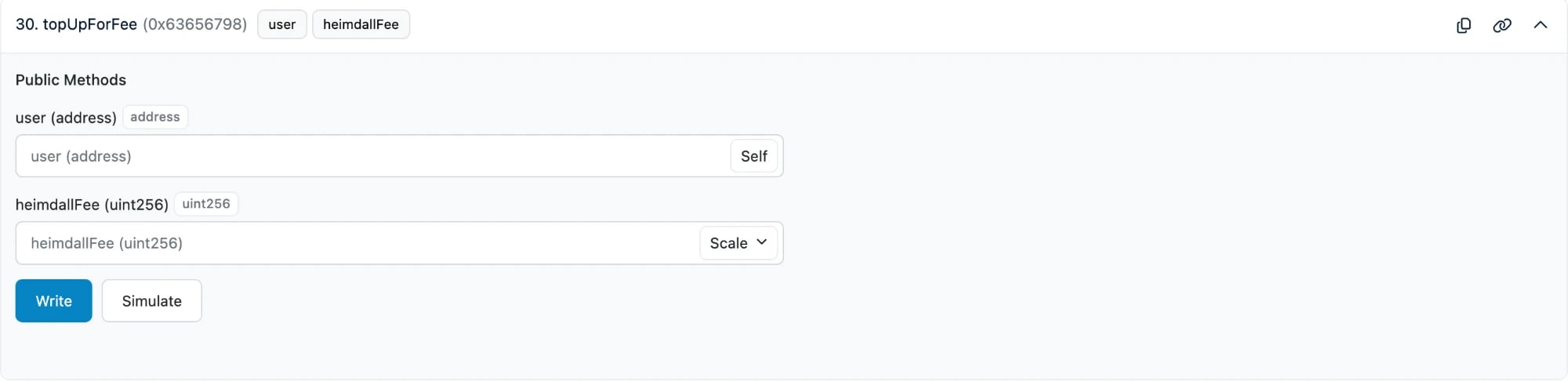
-
Fill in the details:
user: Validator’s Signer AddressheimdallFee: Top-up fee (minimum 1 POL)
- After filling in the details, select Write to sign the transaction.