

Thinking about bridging a popular token? Refer to the reference guide on Polygon Portal.
Steps to submit a mapping request
- To submit a request for mapping your token on Polygon Chain, start by navigating to the Google form available here.
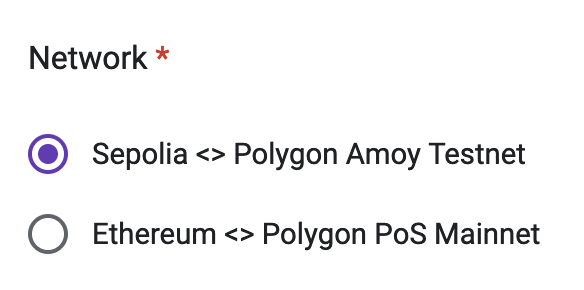
- Choose a Network option depending upon the chain on which you’re looking to map your token. This would be Sepolia ↔ Polygon Amoy for testnet, and Ethereum ↔ Polygon Chain for mainnet.
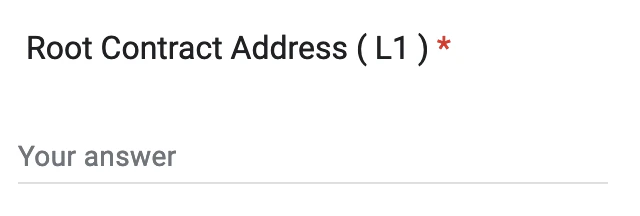
- Next, input the contract address for the token contract that you’ve deployed on Sepolia/Ethereum mainnet in the Root Contract Address (L1) field.
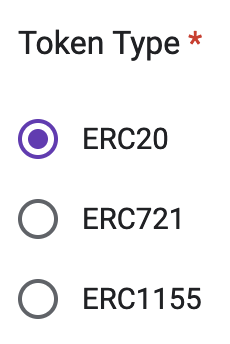
- Choose the correct Token Type for your token. i.e., ERC-20 for a standard token, ERC-721 for an NFT, or ERC-1155 for a multi token.
- Finally, select Submit to send in your request. The Polygon team will review your mapping request, and get back to you with a response. This generally takes up to 7 days.
- Check out the list of supported tokens available in JSON format by following this URL: https://api-polygon-tokens.polygon.technology/tokenlists/polygonTokens.tokenlist.json
- Once approved, your token will be added to the above list!