> ## Documentation Index
> Fetch the complete documentation index at: https://docs.polygon.technology/llms.txt
> Use this file to discover all available pages before exploring further.
# Interact with a node RPC
> How to connect to a Polygon RPC provider and send your first blockchain request using Alchemy.
Most developers use a node provider rather than running their own full node. A node provider receives your requests and returns responses from the blockchain automatically, so you can focus on building.
This guide uses Alchemy as the RPC provider example.
## Prerequisites
* An [Alchemy account](https://alchemy.com/?r=e68b2f77-7fc7-4ef7-8e9c-cdfea869b9b5)
* Access to the [Alchemy Dashboard](https://dashboard.alchemyapi.io)
## Create an Alchemy API key
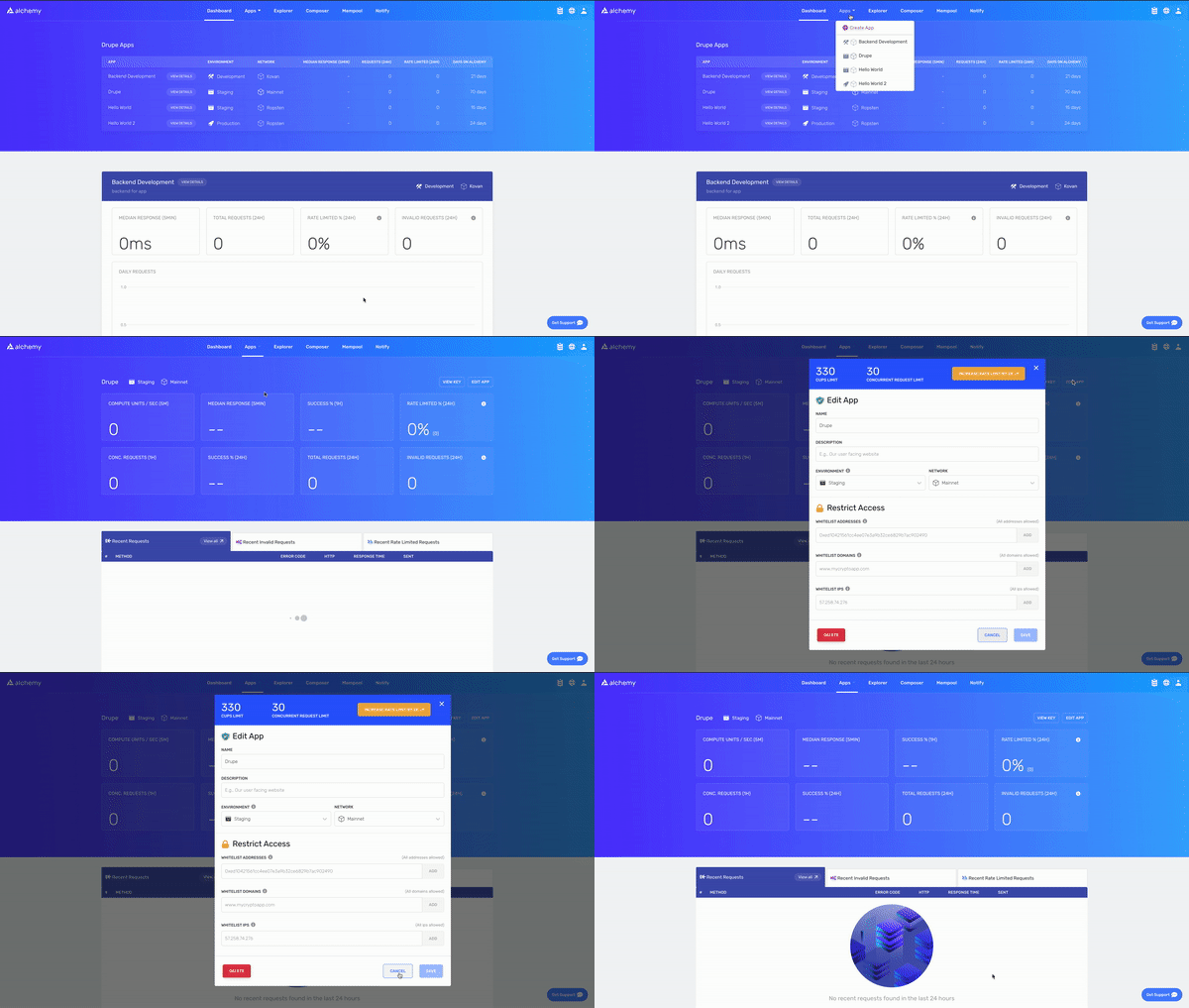
1. Navigate to the **Create App** button in the **Apps** tab.
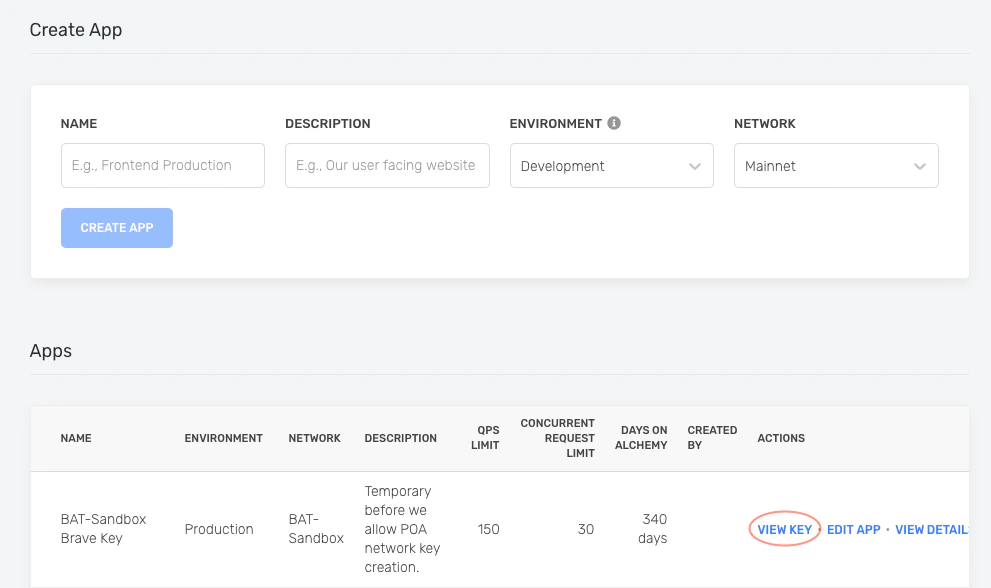
 2. Fill in the details under **Create App** to get your new key. You can also see the applications you previously made by you and your team on this page. Pull existing keys by clicking on **View Key** for any app.
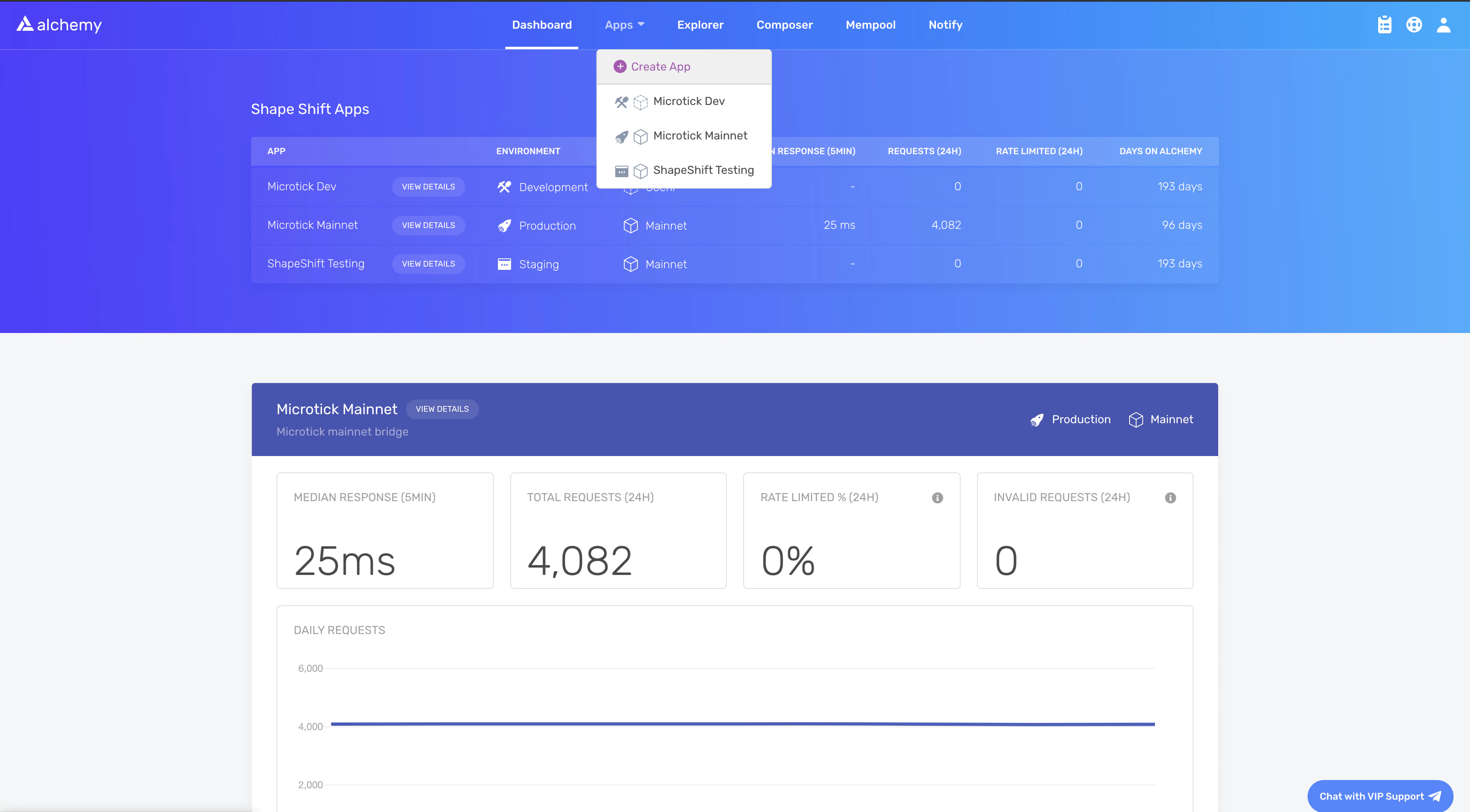
 You can also pull existing API keys by hovering over **Apps** and selecting one. You can **View Key** here, as well as **Edit App** to whitelist specific domains, see several developer tools, and view analytics.
## Send a cURL request
You can interact with Alchemy's Polygon infrastructure using JSON-RPC from the command line.
Use `POST` requests with the `Content-Type: application/json` header. Pass your query as the `POST` body with these fields:
* `jsonrpc`: The JSON-RPC version. Only `2.0` is supported.
* `method`: The API method. See the [API reference](https://alchemyenterprisegroup.readme.io/reference/polygon-api-quickstart).
* `params`: A list of parameters to pass to the method.
* `id`: The ID of your request, returned in the response so you can match requests to responses.
```bash theme={null}
curl https://eth-mainnet.alchemyapi.io/jsonrpc/demo \
-X POST \
-H "Content-Type: application/json" \
--data '{"jsonrpc":"2.0","id":73,"method":"eth_gasPrice","params":[]}'
```
To send requests to your own app instead of the public demo, replace `https://eth-mainnet.alchemyapi.io/jsonrpc/demo` with `https://eth-mainnet.alchemyapi.io/v2/your-api-key`.
Expected response:
```json theme={null}
{ "id": 73,
"jsonrpc": "2.0",
"result": "0x09184e72a000" // 10000000000000 }
```
## Set up the Alchemy SDK
Use the Alchemy SDK to make blockchain requests directly from a JavaScript or Node.js dApp.
If you already use Web3.js or Ethers.js, change your node provider URL to an Alchemy URL with your API key: `https://eth-mainnet.alchemyapi.io/v2/your-api-key`
The scripts below must run in a **node context** or be **saved in a file**, not run directly from the command line.
### Install the SDK
Create a project directory and install the package.
With Yarn:
```bash theme={null}
mkdir your-project-name
cd your-project-name
yarn init # (or yarn init --yes)
yarn add alchemy-sdk
```
With NPM:
```bash theme={null}
mkdir your-project-name
cd your-project-name
npm init # (or npm init --yes)
npm install alchemy-sdk
```
### Create `index.js`
```js theme={null}
import { Alchemy, Network } from "alchemy-sdk";
const settings = {
apiKey: "demo", // Replace with your Alchemy API key.
network: Network.ETH_MAINNET, // Replace with your network.
};
const alchemy = new Alchemy(settings);
async function main() {
const gasPrice = await alchemy.core.getGasPrice();
console.log(gasPrice.toString());
}
main();
```
### Run
```bash theme={null}
node index.js
```
## What to build next
A node connection is the foundation. What you build on top of it depends on your product:
* **[Polygon Chain overview](/pos/overview)**: architecture, finality model, and the consensus contracts your node interacts with.
* **[Open Money Stack Payments API](/payments/overview)**: skip running your own node entirely and build payment products on a hosted API.
* **[Non-custodial wallets](/wallets/non-custodial-wallets)**: non-custodial wallet SDK for consumer apps on Polygon.
* **[Polygon RPC endpoints](/pos/reference/rpc-endpoints)**: the full list of public and paid RPC providers for Polygon Chain.
You can also pull existing API keys by hovering over **Apps** and selecting one. You can **View Key** here, as well as **Edit App** to whitelist specific domains, see several developer tools, and view analytics.
## Send a cURL request
You can interact with Alchemy's Polygon infrastructure using JSON-RPC from the command line.
Use `POST` requests with the `Content-Type: application/json` header. Pass your query as the `POST` body with these fields:
* `jsonrpc`: The JSON-RPC version. Only `2.0` is supported.
* `method`: The API method. See the [API reference](https://alchemyenterprisegroup.readme.io/reference/polygon-api-quickstart).
* `params`: A list of parameters to pass to the method.
* `id`: The ID of your request, returned in the response so you can match requests to responses.
```bash theme={null}
curl https://eth-mainnet.alchemyapi.io/jsonrpc/demo \
-X POST \
-H "Content-Type: application/json" \
--data '{"jsonrpc":"2.0","id":73,"method":"eth_gasPrice","params":[]}'
```
To send requests to your own app instead of the public demo, replace `https://eth-mainnet.alchemyapi.io/jsonrpc/demo` with `https://eth-mainnet.alchemyapi.io/v2/your-api-key`.
Expected response:
```json theme={null}
{ "id": 73,
"jsonrpc": "2.0",
"result": "0x09184e72a000" // 10000000000000 }
```
## Set up the Alchemy SDK
Use the Alchemy SDK to make blockchain requests directly from a JavaScript or Node.js dApp.
If you already use Web3.js or Ethers.js, change your node provider URL to an Alchemy URL with your API key: `https://eth-mainnet.alchemyapi.io/v2/your-api-key`
The scripts below must run in a **node context** or be **saved in a file**, not run directly from the command line.
### Install the SDK
Create a project directory and install the package.
With Yarn:
```bash theme={null}
mkdir your-project-name
cd your-project-name
yarn init # (or yarn init --yes)
yarn add alchemy-sdk
```
With NPM:
```bash theme={null}
mkdir your-project-name
cd your-project-name
npm init # (or npm init --yes)
npm install alchemy-sdk
```
### Create `index.js`
```js theme={null}
import { Alchemy, Network } from "alchemy-sdk";
const settings = {
apiKey: "demo", // Replace with your Alchemy API key.
network: Network.ETH_MAINNET, // Replace with your network.
};
const alchemy = new Alchemy(settings);
async function main() {
const gasPrice = await alchemy.core.getGasPrice();
console.log(gasPrice.toString());
}
main();
```
### Run
```bash theme={null}
node index.js
```
## What to build next
A node connection is the foundation. What you build on top of it depends on your product:
* **[Polygon Chain overview](/pos/overview)**: architecture, finality model, and the consensus contracts your node interacts with.
* **[Open Money Stack Payments API](/payments/overview)**: skip running your own node entirely and build payment products on a hosted API.
* **[Non-custodial wallets](/wallets/non-custodial-wallets)**: non-custodial wallet SDK for consumer apps on Polygon.
* **[Polygon RPC endpoints](/pos/reference/rpc-endpoints)**: the full list of public and paid RPC providers for Polygon Chain.