> ## Documentation Index
> Fetch the complete documentation index at: https://docs.polygon.technology/llms.txt
> Use this file to discover all available pages before exploring further.
# Submit mapping request
> Steps to submit a token mapping request to enable bridging between Ethereum and Polygon Chain.
Submit a mapping request to enable your token for bridging between Ethereum and Polygon Chain.
Thinking about bridging a popular token? Refer to the [reference guide on Polygon Portal](/tools/wallets/portal/).
## Steps to submit a mapping request
1. To submit a request for mapping your token on Polygon Chain, start by navigating to [the Google form available here](https://docs.google.com/forms/d/e/1FAIpQLSeq8HTef2dYpRx35_WWYhyr4C146K9dfhyYJQcoD1RuTTVABg/viewform).
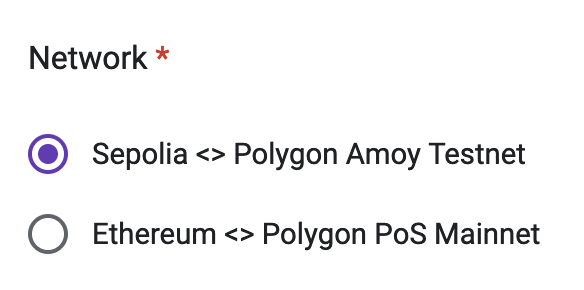
2. Choose a **Network** option depending upon the chain on which you're looking to map your token. This would be **Sepolia ↔ Polygon Amoy** for testnet, and **Ethereum ↔ Polygon Chain** for mainnet.
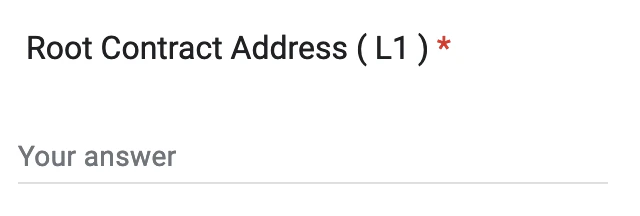
 3. Next, input the contract address for the token contract that you've deployed on Sepolia/Ethereum mainnet in the **Root Contract Address (L1)** field.
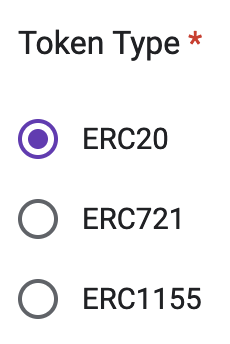
 4. Choose the correct **Token Type** for your token. i.e., [ERC-20](https://eips.ethereum.org/EIPS/eip-20) for a standard token, [ERC-721](https://eips.ethereum.org/EIPS/eip-721) for an NFT, or [ERC-1155](https://eips.ethereum.org/EIPS/eip-1155) for a multi token.
 5. Finally, select **Submit** to send in your request. The Polygon team will review your mapping request, and get back to you with a response. This generally takes up to 7 days.
* Check out the list of supported tokens available in JSON format by following this URL: [https://api-polygon-tokens.polygon.technology/tokenlists/polygonTokens.tokenlist.json](https://api-polygon-tokens.polygon.technology/tokenlists/polygonTokens.tokenlist.json)
* Once approved, your token will be added to the above list!
5. Finally, select **Submit** to send in your request. The Polygon team will review your mapping request, and get back to you with a response. This generally takes up to 7 days.
* Check out the list of supported tokens available in JSON format by following this URL: [https://api-polygon-tokens.polygon.technology/tokenlists/polygonTokens.tokenlist.json](https://api-polygon-tokens.polygon.technology/tokenlists/polygonTokens.tokenlist.json)
* Once approved, your token will be added to the above list!