> ## Documentation Index
> Fetch the complete documentation index at: https://docs.polygon.technology/llms.txt
> Use this file to discover all available pages before exploring further.
# Migrate to POL
> How to migrate MATIC tokens to POL, depending on which chain they are currently on.
## Overview
The upgrade from MATIC to POL marks a significant change for the Polygon networks. POL is the native gas and staking token on Polygon Chain and supports the network's future expansion as an aggregated network of blockchains.
The migration operates on a 1:1 basis. For every MATIC you migrate, you receive one POL.
## Migrate MATIC tokens on Ethereum
MATIC stakers and delegators do not need to take any action to migrate from MATIC to POL.
1. Navigate to [Polygon Portal's migration interface](https://portal.polygon.technology/pol-upgrade).
2. Switch to the Ethereum network in your wallet and connect to the Portal UI.
3. Approve the migration action by granting the upgrade contract permission to access your MATIC tokens.
4. Confirm the migration transaction to receive POL in your wallet.
## Migrate MATIC tokens on Polygon Chain
MATIC tokens stored on the Polygon Chain chain are automatically converted to POL at a 1:1 ratio. No manual migration is required.
However, you may need to update the native token symbol in your wallet's network settings. If the symbol is not updated, your wallet may continue to display "MATIC" instead of "POL."
To update the symbol in MetaMask:
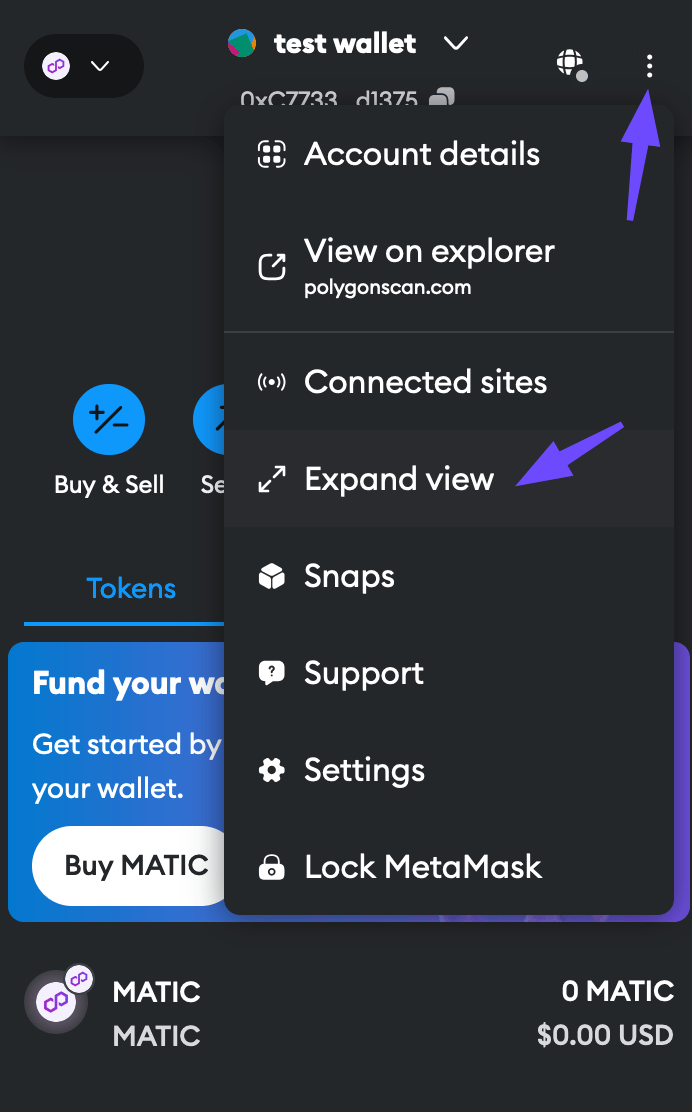
1. Open MetaMask in expanded mode by selecting **Expand view** from the options menu in the top-right corner.
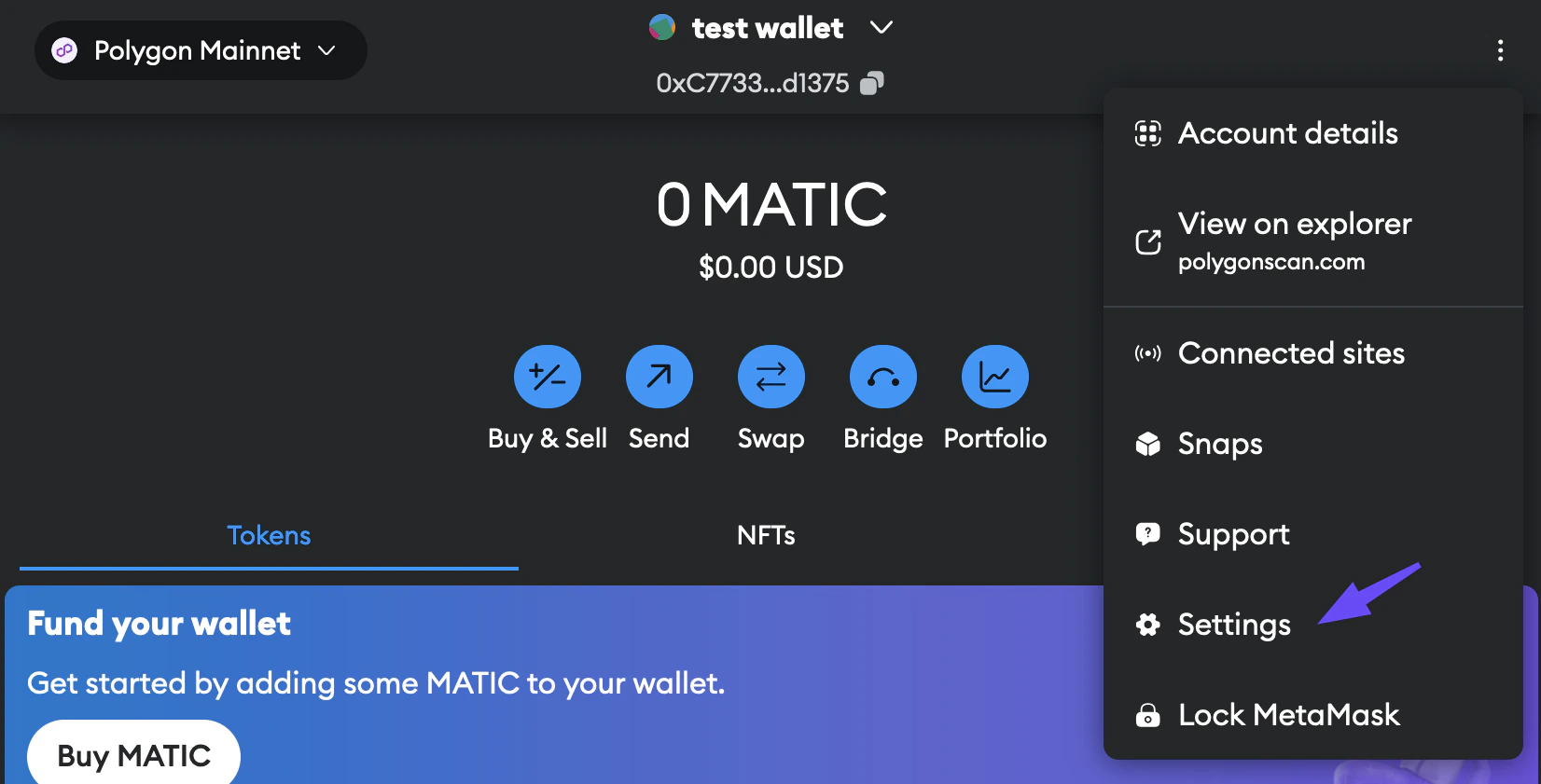
 2. Open the options menu again and select **Settings** from the drop-down list.
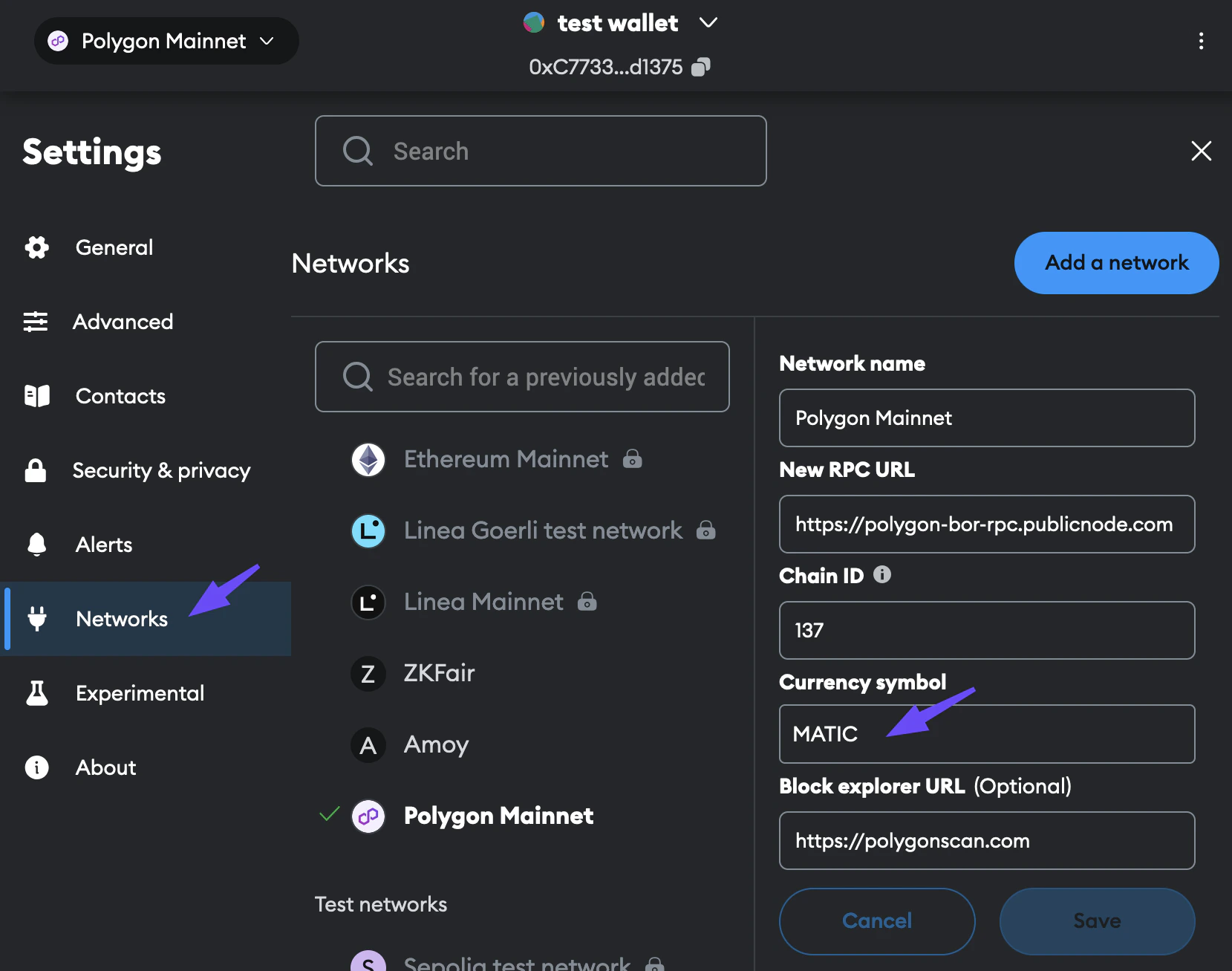
 3. Select the **Networks** tab from the left sidebar and switch to **Polygon Mainnet**. The **Currency symbol** field shows the current value, which is **MATIC**.
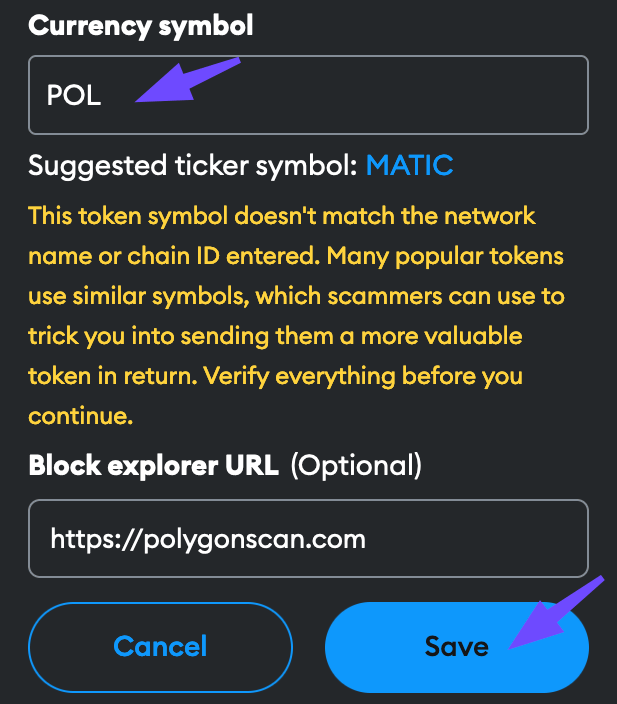
 4. Change the **Currency symbol** to **POL** and select **Save**. You can ignore the yellow warning in this case.
 The process to change the token symbol varies by wallet. Refer to your wallet's documentation for the specific steps.
## Migrate MATIC tokens on Polygon zkEVM
If your MATIC tokens are on the zkEVM chain:
1. Use [Polygon Portal](https://portal.polygon.technology/bridge) to bridge your tokens to Ethereum.
2. Follow the steps in [Migrate MATIC tokens on Ethereum](#migrate-matic-tokens-on-ethereum).
## Further reading
* [Detailed blog post on MATIC to POL migration](https://polygon.technology/blog/save-the-date-matic-pol-migration-coming-september-4th-everything-you-need-to-know)
* [POL token reference](/pos/concepts/tokens/pol/)
The process to change the token symbol varies by wallet. Refer to your wallet's documentation for the specific steps.
## Migrate MATIC tokens on Polygon zkEVM
If your MATIC tokens are on the zkEVM chain:
1. Use [Polygon Portal](https://portal.polygon.technology/bridge) to bridge your tokens to Ethereum.
2. Follow the steps in [Migrate MATIC tokens on Ethereum](#migrate-matic-tokens-on-ethereum).
## Further reading
* [Detailed blog post on MATIC to POL migration](https://polygon.technology/blog/save-the-date-matic-pol-migration-coming-september-4th-everything-you-need-to-know)
* [POL token reference](/pos/concepts/tokens/pol/)