> ## Documentation Index
> Fetch the complete documentation index at: https://docs.polygon.technology/llms.txt
> Use this file to discover all available pages before exploring further.
# Quickstart
> How to deploy a local cdk-opgeth testnet using Kurtosis, including L1, L2, Agglayer, and OP Stack components.
Use this guide to deploy a local testnet instance of `cdk-opgeth` using Kurtosis. This includes a local L1 + L2 environment with Agglayer components and OP Stack infrastructure.
***
## 1. Install Kurtosis
Follow the installation instructions from the [Kurtosis official docs](https://docs.kurtosis.com/install).
***
## 2. Launch the cdk-opgeth Stack
Use the command below to run the Kurtosis package:
```bash theme={null}
kurtosis run \
--enclave cdk \
--args-file https://raw.githubusercontent.com/0xPolygon/kurtosis-cdk/refs/tags/v0.4.0/.github/tests/chains/op-succinct.yml \
github.com/0xPolygon/kurtosis-cdk@v0.4.0
```
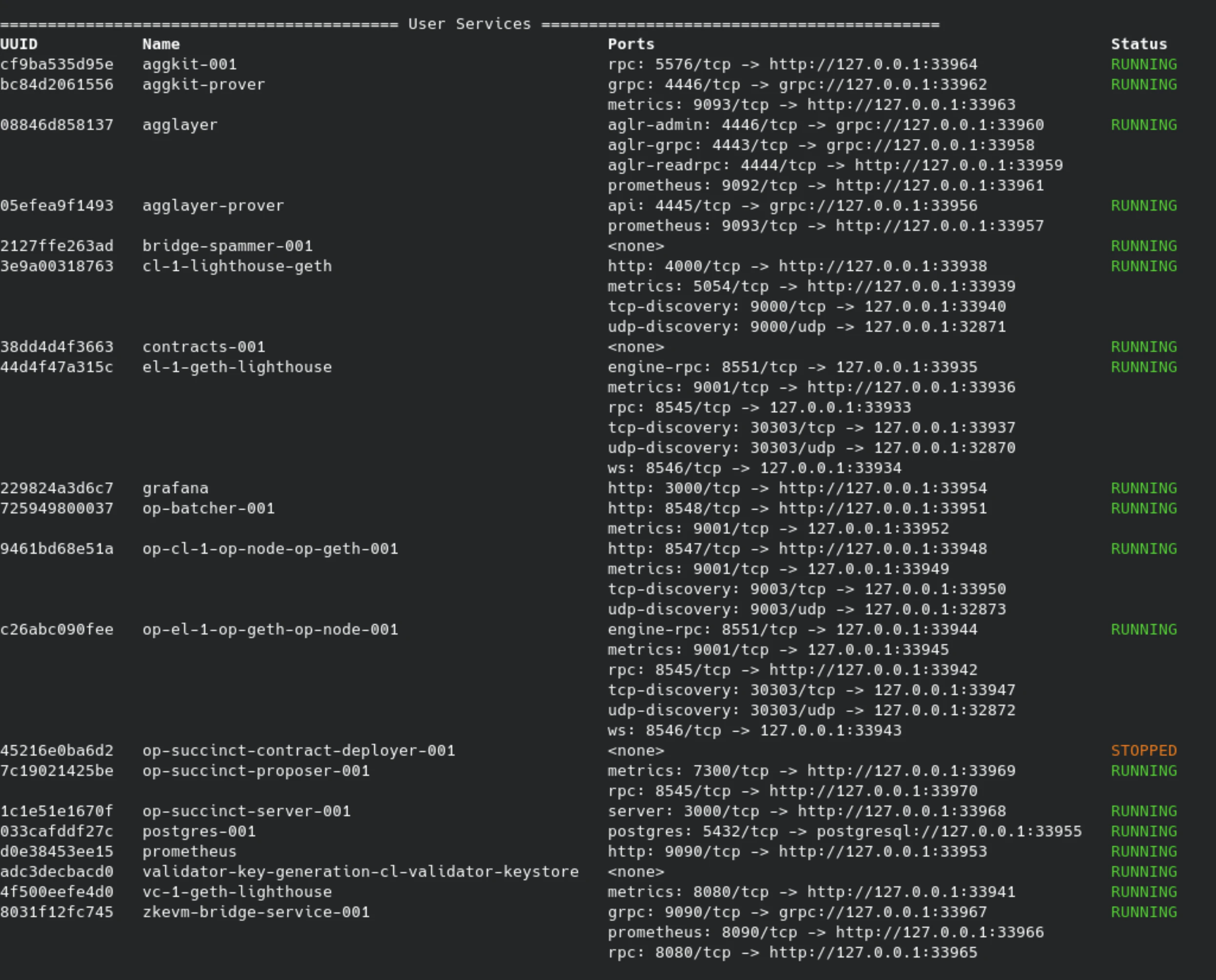
This will:
* Start an L1 devnet (Ethereum-like chain)
* Deploy Agglayer common contracts
* Deploy op-geth, op-node, and op-batcher
* Deploy Aggkit and op-succinct infrastructure
 ***
## 3. Bridge Funds from L1 to L2
Use `polycli` to bridge assets from L1 to L2:
```bash theme={null}
polycli ulxly bridge asset \
--bridge-address $(kurtosis service exec cdk contracts-001 'jq -r '.polygonZkEVMBridgeAddress' /opt/zkevm/combined.json') \
--private-key 0x12d7de8621a77640c9241b2595ba78ce443d05e94090365ab3bb5e19df82c625 \
--destination-address 0x9175f8176014543492234099F37a385335a017d6 \
--destination-network 1 \
--value 1000000000000000000 \
--rpc-url http://$(kurtosis port print cdk el-1-geth-lighthouse rpc)
```
***
## 3. Bridge Funds from L1 to L2
Use `polycli` to bridge assets from L1 to L2:
```bash theme={null}
polycli ulxly bridge asset \
--bridge-address $(kurtosis service exec cdk contracts-001 'jq -r '.polygonZkEVMBridgeAddress' /opt/zkevm/combined.json') \
--private-key 0x12d7de8621a77640c9241b2595ba78ce443d05e94090365ab3bb5e19df82c625 \
--destination-address 0x9175f8176014543492234099F37a385335a017d6 \
--destination-network 1 \
--value 1000000000000000000 \
--rpc-url http://$(kurtosis port print cdk el-1-geth-lighthouse rpc)
```
 ***
**Command parameters:**
* `polycli ulxly bridge asset`: Initiates the bridge
* `--bridge-address`: Reads from `combined.json`
* `--private-key`: Specifies the sender wallet
* `--destination-address`: L2 recipient
* `--destination-network`: Target network ID (1 for devnet)
* `--value`: Amount to bridge in wei
* `--rpc-url`: Dynamically resolved RPC from Kurtosis
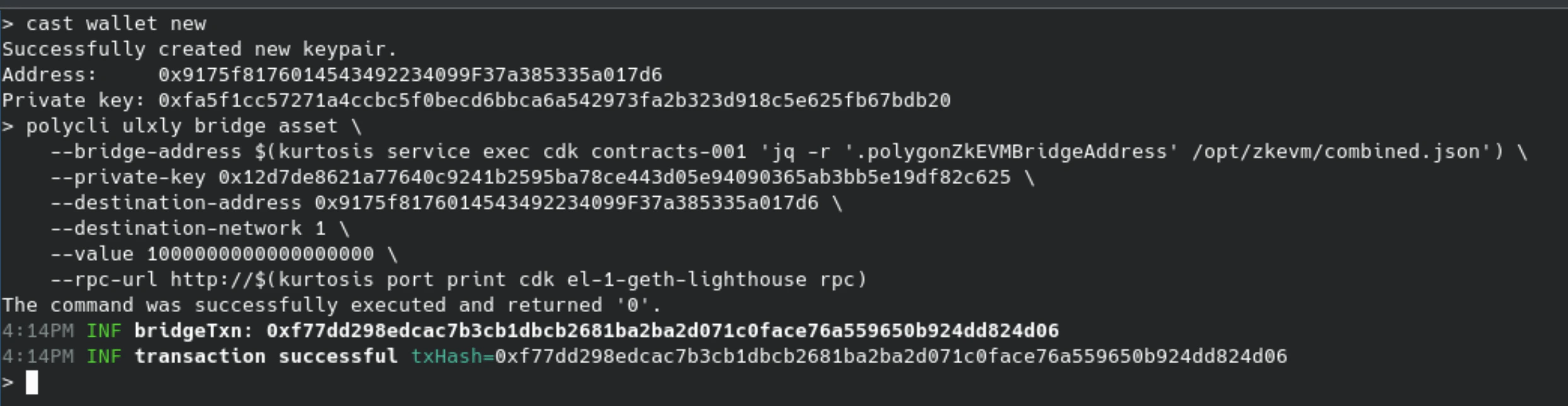
A successful call returns a transaction confirmation.
***
**Command parameters:**
* `polycli ulxly bridge asset`: Initiates the bridge
* `--bridge-address`: Reads from `combined.json`
* `--private-key`: Specifies the sender wallet
* `--destination-address`: L2 recipient
* `--destination-network`: Target network ID (1 for devnet)
* `--value`: Amount to bridge in wei
* `--rpc-url`: Dynamically resolved RPC from Kurtosis
A successful call returns a transaction confirmation.
 ***
## 4. Check Balance on L2
```bash theme={null}
cast balance --ether \
--rpc-url $(kurtosis port print cdk op-el-1-op-geth-op-node-001 rpc) \
0x9175f8176014543492234099F37a385335a017d6
```
***
## 4. Check Balance on L2
```bash theme={null}
cast balance --ether \
--rpc-url $(kurtosis port print cdk op-el-1-op-geth-op-node-001 rpc) \
0x9175f8176014543492234099F37a385335a017d6
```
 ***
## 5. Send a Transaction on L2 (Inscription)
```bash theme={null}
cast send \
--rpc-url $(kurtosis port print cdk op-el-1-op-geth-op-node-001 rpc) \
--private-key 0xfa5f1cc57271a4ccbc5f0becd6bbca6a542973fa2b323d918c5e625fb67bdb20 \
0x9175f8176014543492234099F37a385335a017d6 \
$(echo -n 'data:,Hello Agglayer!' | xxd -p)
```
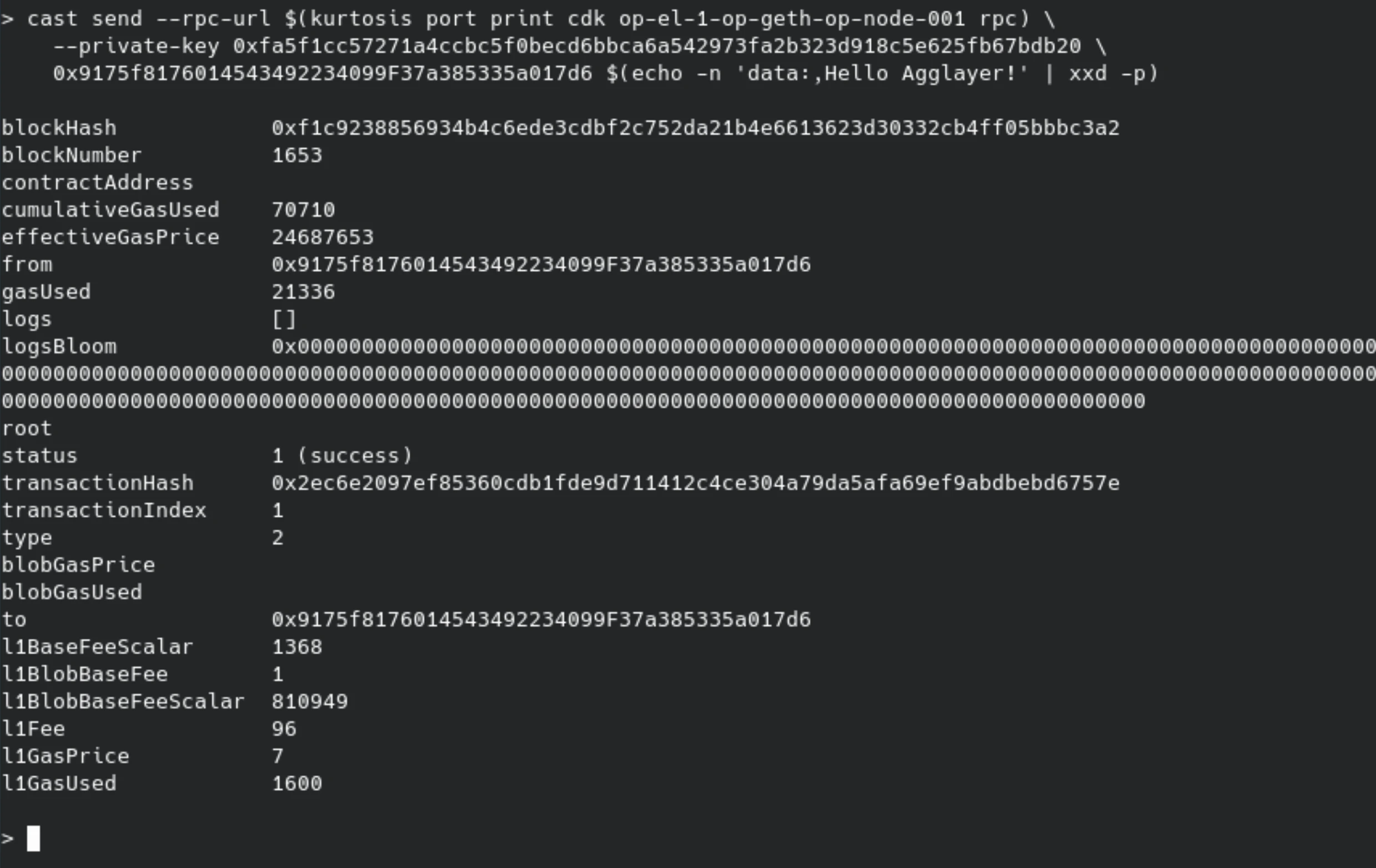
This command sends a transaction with `Hello Agglayer!` embedded in the calldata.
***
## 5. Send a Transaction on L2 (Inscription)
```bash theme={null}
cast send \
--rpc-url $(kurtosis port print cdk op-el-1-op-geth-op-node-001 rpc) \
--private-key 0xfa5f1cc57271a4ccbc5f0becd6bbca6a542973fa2b323d918c5e625fb67bdb20 \
0x9175f8176014543492234099F37a385335a017d6 \
$(echo -n 'data:,Hello Agglayer!' | xxd -p)
```
This command sends a transaction with `Hello Agglayer!` embedded in the calldata.
 ***
## 6. View the Inscription
```bash theme={null}
cast tx \
--rpc-url $(kurtosis port print cdk op-el-1-op-geth-op-node-001 rpc) \
0x2ec6e2097ef85360cdb1fde9d711412c4ce304a79da5afa69ef9abdbebd6757e input | \
xxd -r -p
```
Expected output:
```bash theme={null}
data:,Hello Agglayer!
```
***
## 6. View the Inscription
```bash theme={null}
cast tx \
--rpc-url $(kurtosis port print cdk op-el-1-op-geth-op-node-001 rpc) \
0x2ec6e2097ef85360cdb1fde9d711412c4ce304a79da5afa69ef9abdbebd6757e input | \
xxd -r -p
```
Expected output:
```bash theme={null}
data:,Hello Agglayer!
```